Windows 7 – Enable Quick Launch Toolbar
From the archive (2009). Written for the tools of the time, so some details may be out of date.
By default, the Quick Launch toolbar is disabled in Windows 7. Here is how you enable it.
First we need to right-click on the taskbar and select “New toolbar”
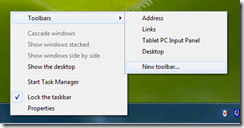
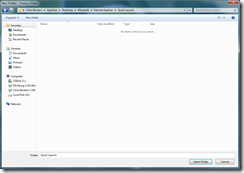
Next we need to browse to the following path:
%userprofile%\AppData\Roaming\Microsoft\Internet Explorer\Quick Launch
Then select that folder:
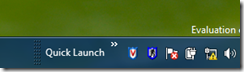
Now you will see the Quick Launch in the bottom right corner:
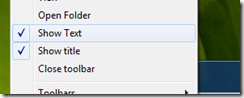
Next you will want to right-click on the Quick Launch toolbar on the Taskbar and remove the text displays “Show Text” and “Show Title”: (This is a preference to get it to appear like the “old” Quick Launch)
Now you will have the Quick Launch that you are used to seeing:

Then, you probably want to drag it to the left side of the taskbar:

There we go, we now have our Quick Launch back :)
-Chris