Disable Windows 7 Action Center
From the archive (2011). Written for the tools of the time, so some details may be out of date.
If for some reason you don’t want to use Group Policy to disable the Windows 7 Action Center, then there is a registry key you can set to disable it.
HKLM\SOFTWARE\MICROSOFT\WINDOWS\CURRENTVERSION\POLICIES\EXPLORER
HIDESCAHEALTH=DWORD:00000001

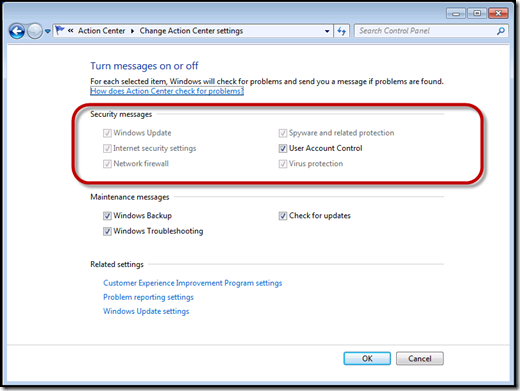
Once the registry key is set to a value of “1”, certain items will be greyed out in the Action Center configuration, and you will no longer see the Action Center icon in the system tray.
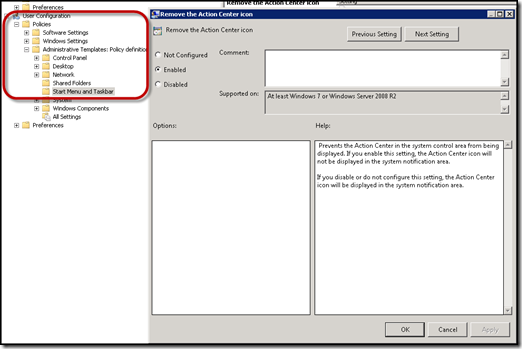
There is a simple Group Policy setting for this as well, this is generally my preference, but I had a client who wanted to disable it in the image regardless.
User Configuration – Policies – Admin Templates – Start Menu and TaskBar – Remove the Action Center Icon